Flow agencyLocalization
Image Localization Studio
Translate product-detail images while preserving their visual composition.
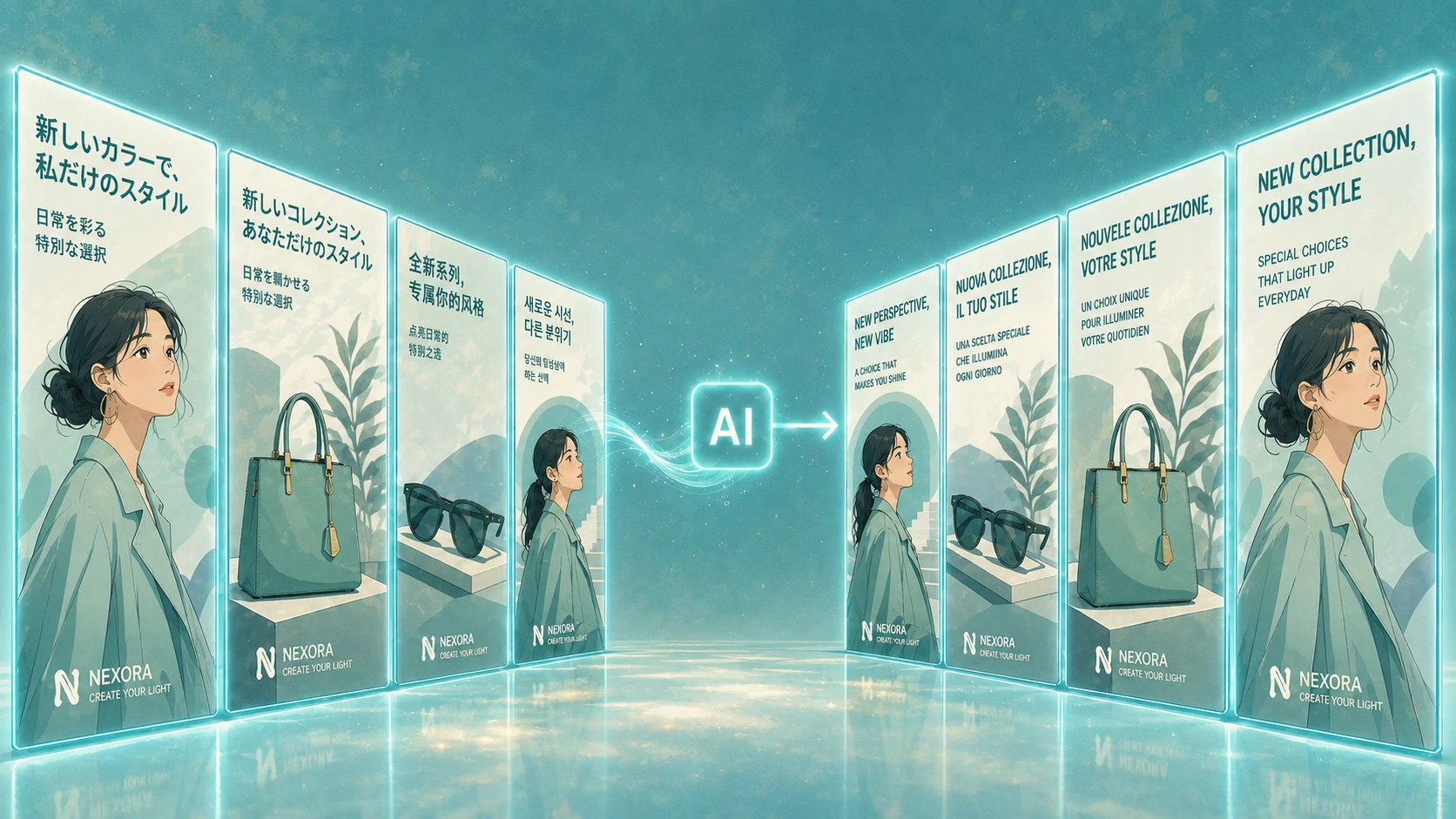
- What you put in
- Product-detail images or a product page URL
- What you get
- Separate images
- Long image
- Translated images that keep the original composition
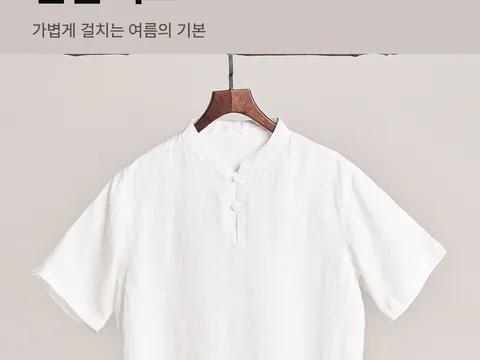
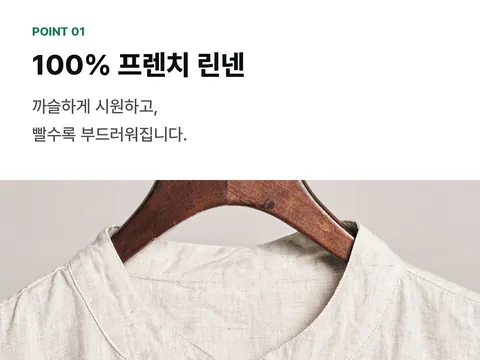
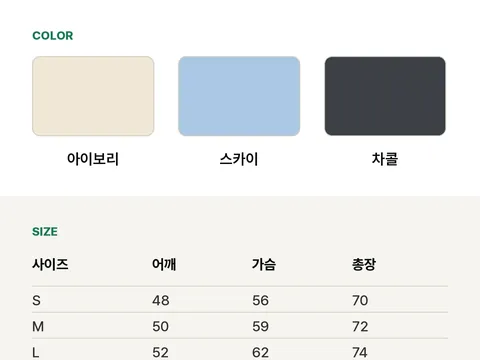
Same detail page, only the text in another language
Upload product-detail images, and we’ll translate the text in them into the language you want and put it back in its original place.
Photos, layout, and the size and color of the text stay true to the original composition. Even very long vertical detail pages can simply be uploaded as they are.
Why you can hand it off
Keeps the composition
Text positions and sizes, photos, and white space stay as originally composed, and only the text changes.
Long pages in one go
Upload even long vertical detail pages as they are. Get them back as one joined image or as split files.
Set the language and tone in writing
Write the language to translate into and the tone as a sentence, like ‘in friendly Japanese for Japanese customers in their 30s’.
Choose how brand and product names are written
Choose whether to keep the current spelling, use a spelling you set, or leave it to the translation.
A URL alone is enough
Add a product page URL instead of images, and we’ll translate that page’s detail images.
One long detail page, into Japanese
Put in a Korean detail page, and out comes a Japanese page with the same composition. The brand name was set to stay as it is.
-
Input
Output
-
Input
Output
-
Input
Output
Japanese
ExampleTranslated sentence by sentence; layout and brand name unchanged
- 01바람이 통하는 린넨 셔츠 → 風が通るリネンシャツ
- 02100% 프렌치 린넨 → フレンチリネン100%
- 03아이보리 · 스카이 · 차콜 → アイボリー · スカイ · チャコール
Both pages are examples drawn for this explanation. This is where real results will go.
Photos are free to use (dayong tien, Pexels). Shirt on Hanger on BranchShirt on Hanger on BranchWhite Shirt on Hanger on BranchPexels License
How it works
Upload images
Upload detail images or add a product page URL. If they’re pieces of a long page captured in parts, say so.
Set the language and how names are written
Write the language to translate into and the tone, and choose how brand and product names are written.
Check it side by side with the source
View the translated images next to the source. Make another request for anything that needs fixing.
Download
Choose to get split files, a joined long image, or a ZIP of both.
Specs
Image Localization Studio at a glance
| What it does | Translates the text in product-detail images into the language you want and preserves their original visual composition. |
|---|---|
| What you put in | 1–1,000 product-detail images · PNG, JPEG, WebP Or a product page URL Language to translate into (written as a sentence, up to 320 characters) · Brand and product name styles (optional) |
| What you get | Translated images · Section files (WebP, JPEG, PNG), a joined long image (PNG), a ZIP of both Saved as a project |
| Supported languages | Specify the language to translate into as a sentence (e.g. Japanese, English). |
| API | Supported · Upload images, run, check status, read results, download files |
Flow starts with an invitation
Once your company is invited, use the link in the invitation email to create your company workspace and get started right away.
Already a member of a company that uses Flow? Join through the invitation your admin sends.
Don’t have an invitation? Contact customer support (flow@oddconcepts.kr).